
WRC7 HUD: the rally look, on your phone
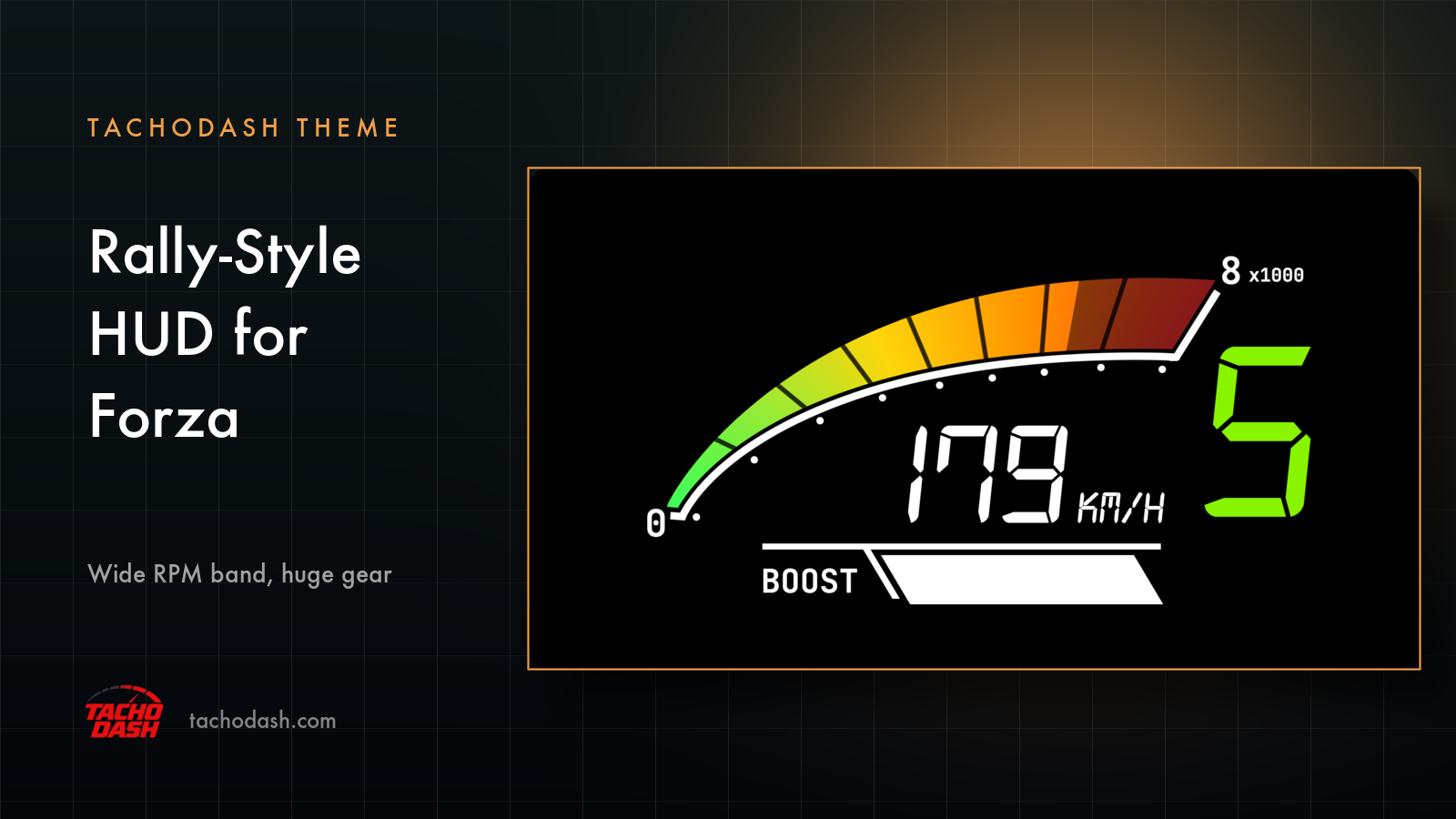
WRC7 HUD redraws the in-game HUD from WRC 7, a rally game, for TachoDash's own renderer. It is a redraw, not a port — nothing from the game's files is used. Your phone connects to the game over Wi-Fi and the screen shows revs, speed, gear and boost.
What it looks like
Black, mostly. Then:
The band. A wide arc across the top, cut into blocks every 1000 rpm, green at the start and deep red at the top. Blocks you have used light up. The ones ahead stay dim.
The scale. 0 on the left. On the right, the top of your car's scale divided by a thousand, with x1000 beside it. The 8 in the picture means 8000 rpm. Change cars and the scale moves with it.
The dots. A thin white arc under the band, one dot per thousand revs. Same scale, drawn twice.
Speed. Center screen, seven-segment digits, KM/H or MPH next to them, whichever your app is set to.
Gear. Right edge. One digit, the biggest thing on the screen. Green in gear. Flashes red when the game tells you to shift.
Boost. Bottom left, next to the word BOOST. A slanted bar that fills white as boost comes up.
That is everything. No lap times, no oil gauges, no G-meter, no clock.
How to switch
- Turn on data output in the game. Horizon setup, or Motorsport setup.
- Update TachoDash to 1.5.4 or later. An older build says so instead of downloading the theme.
- Open the Themes tab, search
WRC7 HUD, open it and download. - Tap Apply. The dashboard switches right away and your connection settings stay put.
- One thing to know: the design is fixed. No color options, no layout options. What you see is what you get. If you want to change colors, read what is adjustable first.
Which games
FH5 · FH6 · FM7 · FM2023.
Links
- TachoDash on the App Store
- TachoDash on Google Play
- The theme page
- Running it on a spare phone? Come hang out — discord.gg/8NuNrawqvw
TachoDash is an unofficial fan project.
Get TachoDash:

