
Engine RPM, Gear and Throttle: Reading the Power Side
# Engine RPM, Gear and Throttle: Reading the Power Side
A dashboard theme is a set of choices about which numbers deserve a place in your eyeline. This page covers the group that most themes agree on — the ones about what the engine and your right foot are doing.
They are not a list of everything the app knows. They are the readouts a theme can draw, described the way you would describe them to someone looking at the screen next to you. Labels and available units may change between app versions.
Speed: the number you read without thinking
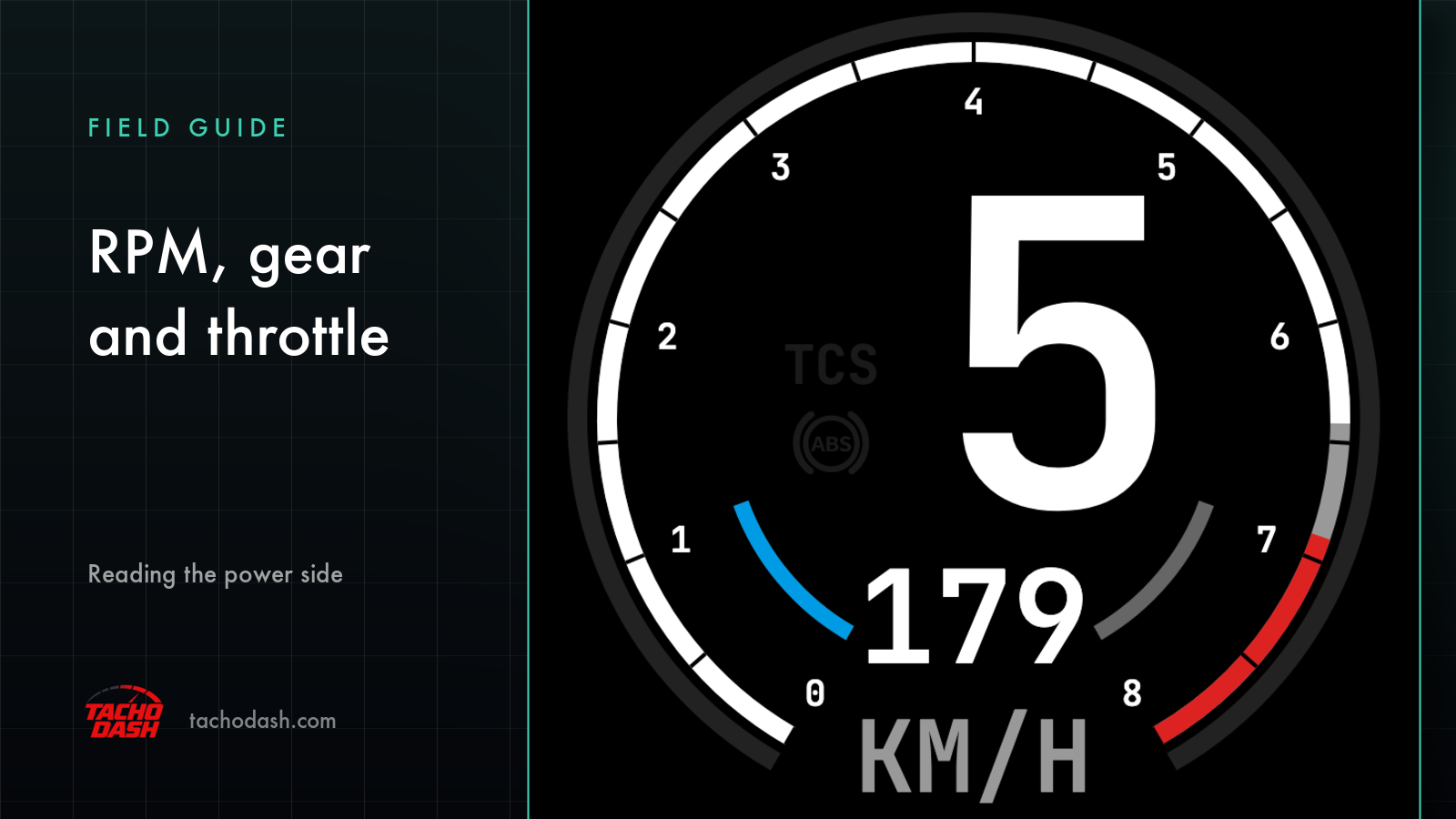
Speed is the largest number on almost every theme, in km/h or mph depending on your unit setting. It is also the only reading that requires no interpretation — you already know what 120 km/h feels like in the car you are driving.
What makes it useful on a dash rather than in the corner of the game HUD is placement. A phone on a mount puts it where your eyes already go, in the size your eyes need at a glance.
RPM, redline and idle
Engine RPM is engine speed in revolutions per minute — the number you watch to decide when to shift, and the one that tells you whether you are in the power band or labouring below it.
Redline RPM is the ceiling: the engine's maximum, and where the tachometer ends. On an analog theme it is the far end of the dial; on a digital one it is usually a marked threshold that changes colour as you approach it.
Idle RPM is the reference point at the bottom — the revs the engine settles at with no throttle. It is the number that makes the rest of the scale legible: without a floor, "high revs" is just a big number.
Gear: the one that tells you what to do next
Gear shows which ratio you are in, with R for reverse and N for neutral. On a dash it is less about information and more about rhythm — you glance at the gear and revs together and the next action is obvious without thinking about it.
Some themes put it in the centre and build the cluster around it; others tuck it into a corner. Either way, it is the field that most changes how a dashboard feels to use, because it is the one you look at most often.
Throttle, brake and handbrake
Throttle position and brake input are both percentages: how far the pedal is pressed, from 0 to 100%. As numbers they are trivial; as a pair they show something the game HUD rarely does — the shape of your inputs.
Watching throttle and brake together is how you see whether you are feeding power in smoothly or stabbing it, whether you are trail-braking into a corner or getting off the brake too early. On a theme that draws both as bars, the pattern is visible in peripheral vision.
Handbrake input is the same idea for the handbrake: how far it is pulled. It exists mostly for drift-oriented themes, where the handbrake is a driving control rather than a parking one.
Power, torque and boost
Power output is engine power at this moment, in kW or HP depending on your unit setting — how much of the car's output you are actually using, rather than how much it has.
Torque output is the turning force behind that, in N·m or lb·ft. It is the readout that explains the pull out of a slow corner, which is why dyno-style themes give it a graph rather than a number.
Boost pressure is turbo or supercharger pressure in bar, kPa or PSI, and it is the most animated of the three: it builds, peaks and drops, so a theme that draws it as a needle or a bar reads like a heartbeat.
Fuel level
Fuel level is a percentage of a full tank. It is the least glamorous reading here and the one that answers a practical question: do you have enough for another two laps, or is this the lap you pit?
Units follow your settings
Every unit on this page is switchable in the app, and each is set independently: speed in km/h or mph, pressure in bar, kPa or PSI, power in kW or HP, torque in N·m or lb·ft. Changing one does not change the others, and changing any of them does not disturb the theme you are running.
That independence is deliberate. People read speed in one system and boost in another all the time, because that is how the tuning conversation in their head works.
Why these fields, and not more
A dashboard is a small screen. Themes that try to show everything end up showing nothing you can read at a glance, which is why the power group is usually four to six numbers rather than twenty.
If a reading you want is not on your theme, the honest path is to find a theme that draws it — the library is built around different opinions about what belongs on a cluster, and those opinions are the product.
TachoDash is a display for the telemetry your game already broadcasts. It is not a tuning tool or a coaching service: these numbers tell you what the car is doing, and what you do with that is your call.
Where to go next
- New to the app? Start with the connection guide.
- Wondering what the tyre numbers mean? Tyre temperature and slip.
- More interested in cornering forces and lap timing? G-force, steering and lap timing.
Get TachoDash
TachoDash is available on the App Store and on Google Play. Browse the theme library to see which dashboards draw these readings, or read what TachoDash is first.
TachoDash is an unofficial fan-made project, not affiliated with Playground Games or Microsoft.
Get TachoDash:

