
Theme Preview Ep. 7: Rally Lite
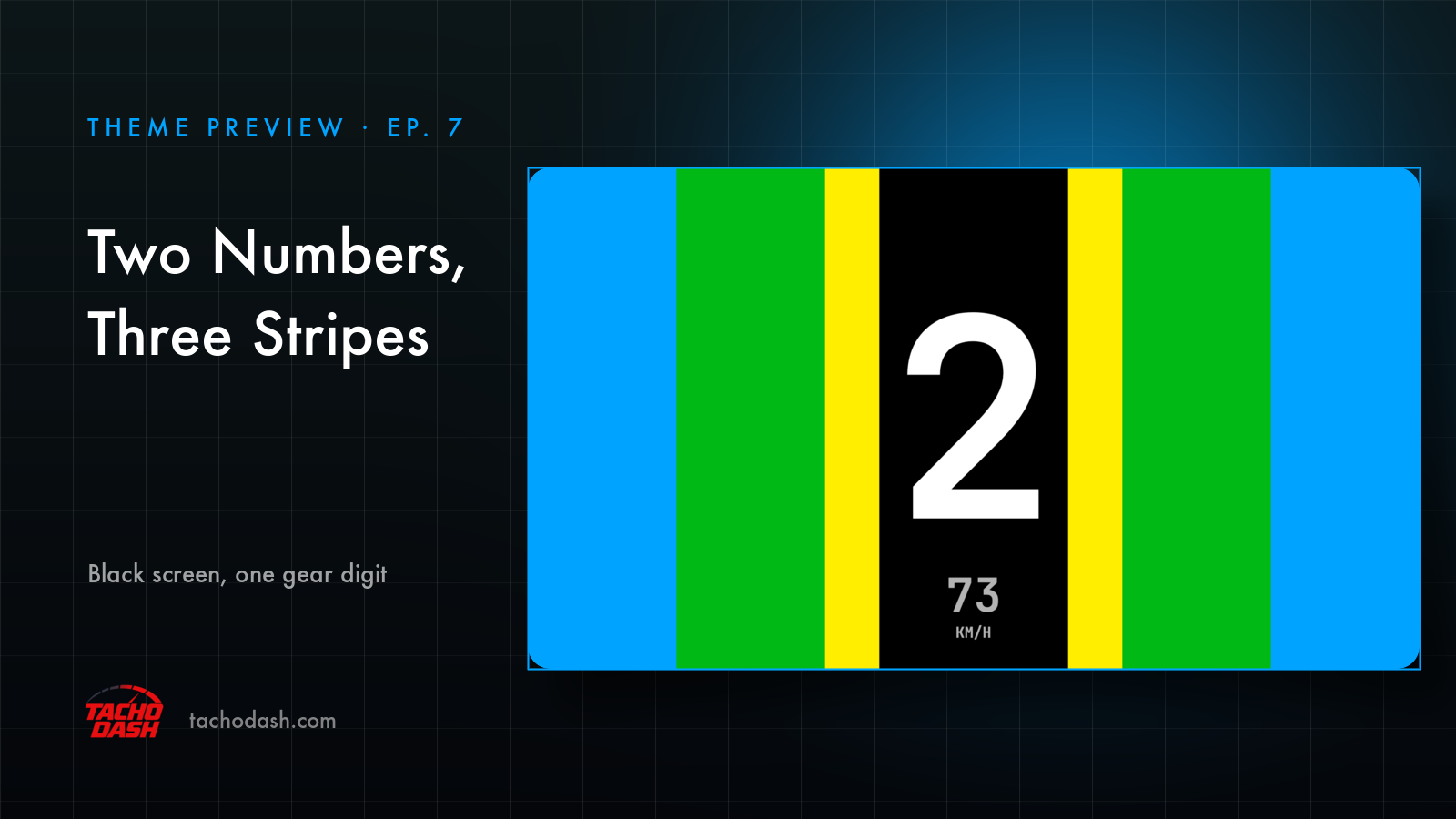
Two numbers and three stripes. That's the whole screen.
The top half of the clip is the dash; the bottom half is a rally stage in Forza — mud first, then snow, then a mountain road. The dash never changes shape. A huge gear digit in the middle, speed under it, colour growing in from the edges.
The still above is second gear, 73 km/h. Blue, green and yellow have already reached the middle, and the only black left is the strip around the number.
What the stripes are
Revs. That's all they are. Blue at the edges while the engine is low, green through the normal range, yellow when the shift is getting close. At the shift point the whole screen goes solid red for a beat.
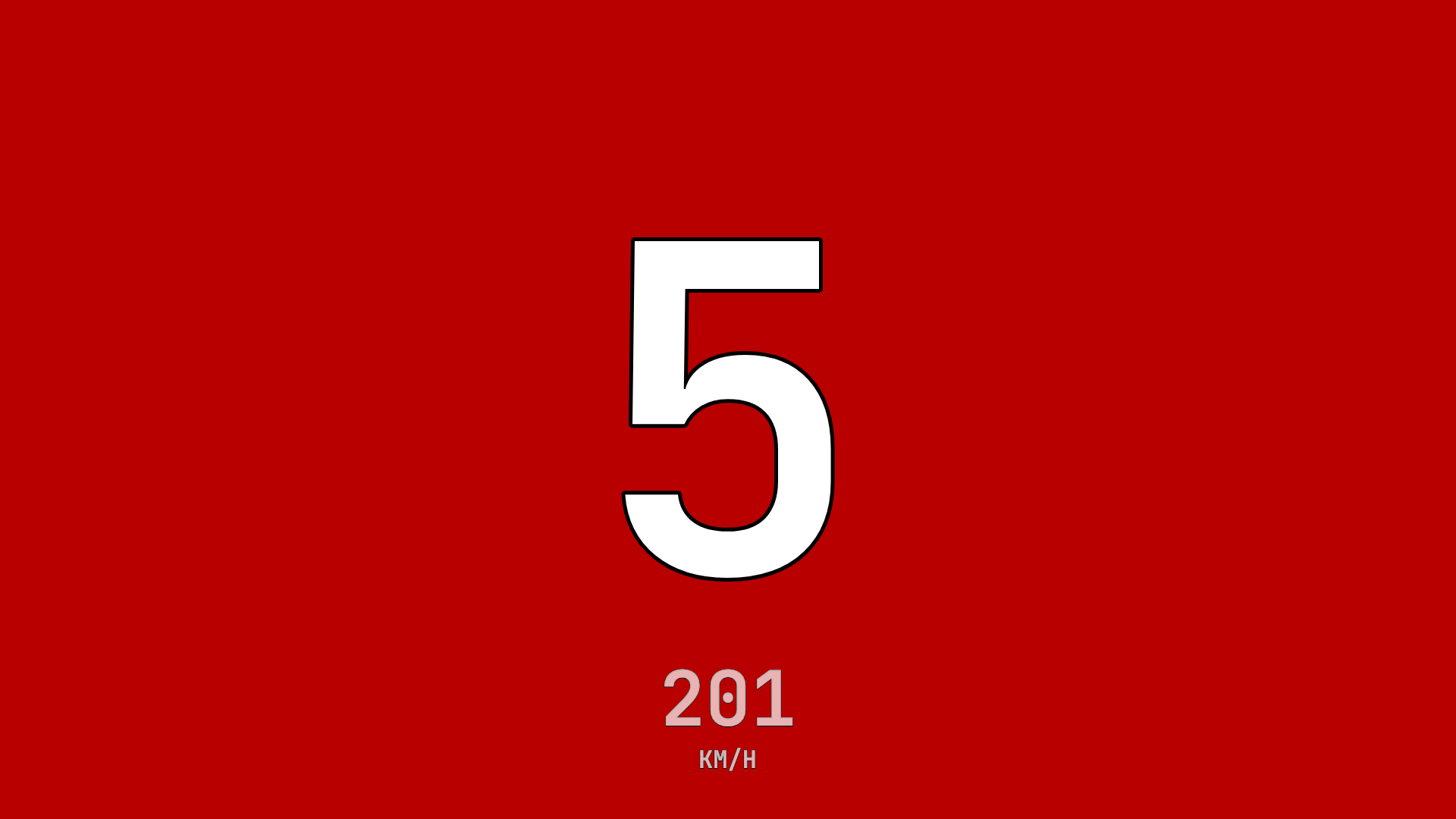
You don't read a number and decide. You catch a colour and shift.
Why so little
A stage already asks enough of you — the next corner, the surface, the crest after it. This dash asks for one glance: gear, speed, colour, back to the road. Nothing on the screen is there to be studied.
Everything else is gone. No rev dial, no water or oil temperature, no boost, no fuel. Three things, and one of them is a colour.
Using your phone as a dash
Phone and game on the same Wi-Fi and the numbers come straight over — no PC in between. Setup is three steps, linked below.
How to switch
- Turn on data output in the game — Horizon setup or Motorsport setup.
- Open Themes in the app, search
Rally Lite, and download it. - Tap Apply. Your connection settings stay where they were.
One thing to know: this one is a fixed design. No colour options, no layout options.
Which games
Every Forza the app supports: FH5, FH6, FM7, FM2023.
Links
- TachoDash on the App Store
- TachoDash on Google Play
- The theme page
- Running it on a spare phone? Come hang out — discord.gg/8NuNrawqvw
TachoDash is an unofficial fan project.
Get TachoDash:

