
Theme Preview Ep. 6: LaFerrari
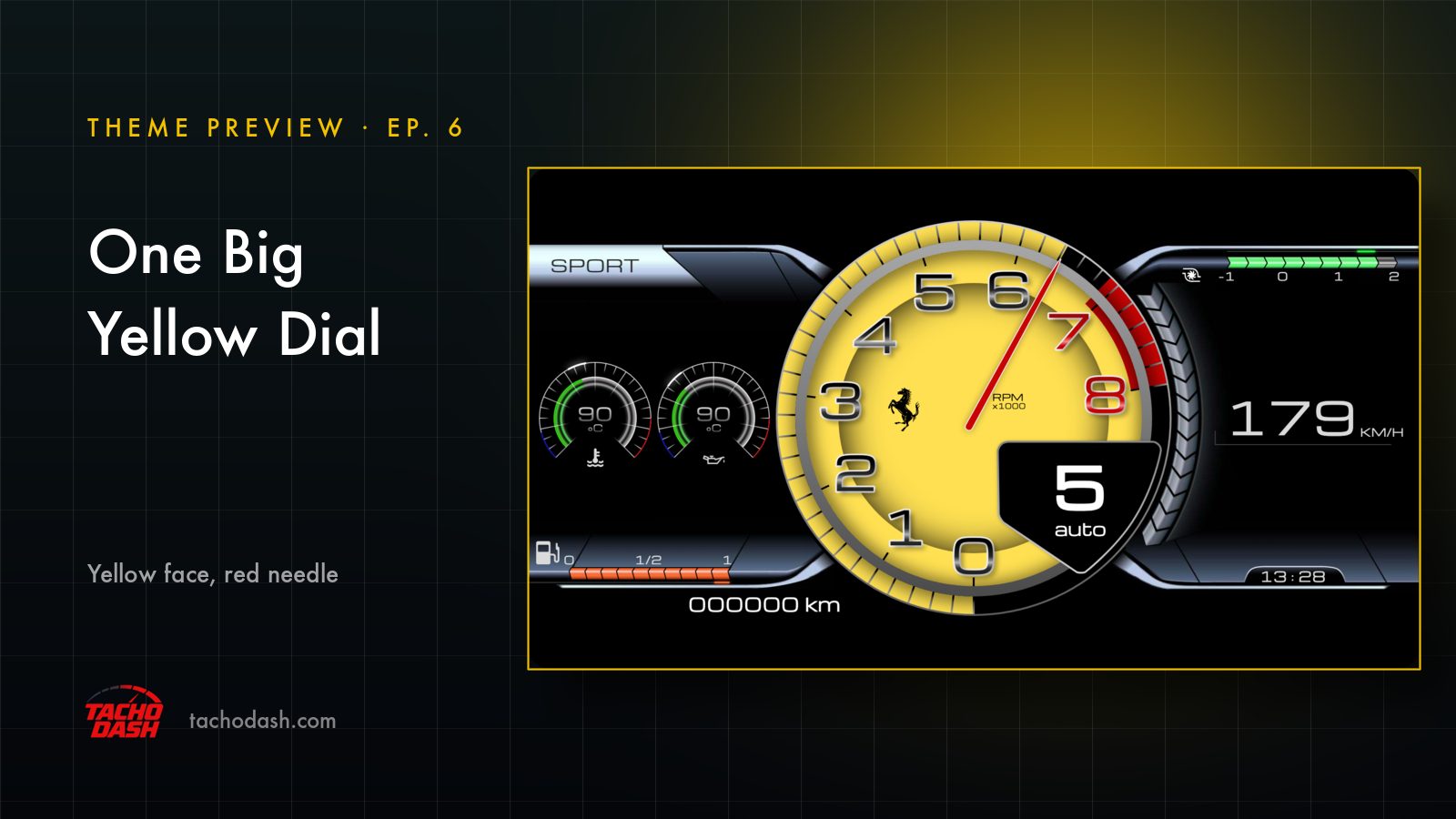
The middle of the screen is almost all one dial. Yellow face, black numerals, one red needle.
The still above is a lap in progress: fifth, 179 km/h, the needle already up at the edge of the yellow where the red section starts.
The part I keep looking at is the gear panel. It's a black shield sitting over the bottom right of the dial, and it tells you what to do instead of making you watch the needle: dark red when it wants you to go up, blue when it wants you down. Same information as the revs, in a shape you catch instantly.
Left of the dial, two small round dials — water and oil temperature, 90 °C in this shot, each with a green arc around it. Speed sits on the right in a big thin face. That's the whole thing.
Using your phone as a dash
If it's your first time: your phone and the game join the same Wi-Fi and the numbers come straight over — no PC in between. Setup is three steps, linked below.
How to switch
- Turn on data output in the game — Horizon setup or Motorsport setup.
- Open Themes in the app, search
LaFerrari, and download it. - Tap Apply. Your connection settings stay where they were.
Which games
Every Forza the app supports: FH5, FH6, FM7, FM2023.
Links
- TachoDash on the App Store
- TachoDash on Google Play
- The theme page
- Running it on a spare phone? Come hang out — discord.gg/8NuNrawqvw
TachoDash is an unofficial fan project.
Get TachoDash:

